shared:reset_password_for_wiki_and_gitlab
This is an old revision of the document!
←Go Back
How to Reset Password for Wiki and Gitlab
Details
Visit on
Wiki site - https://wiki.direct2drive.com
Click on “
Set new password”
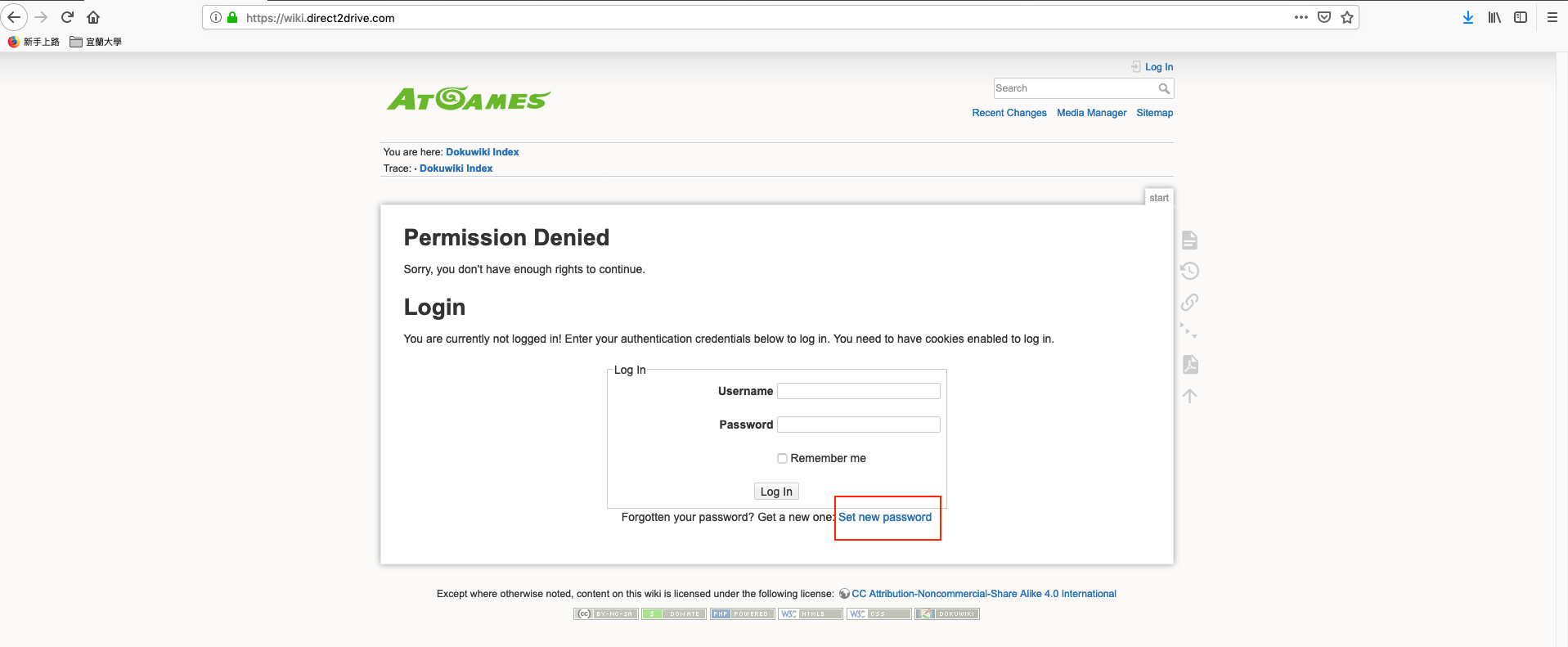
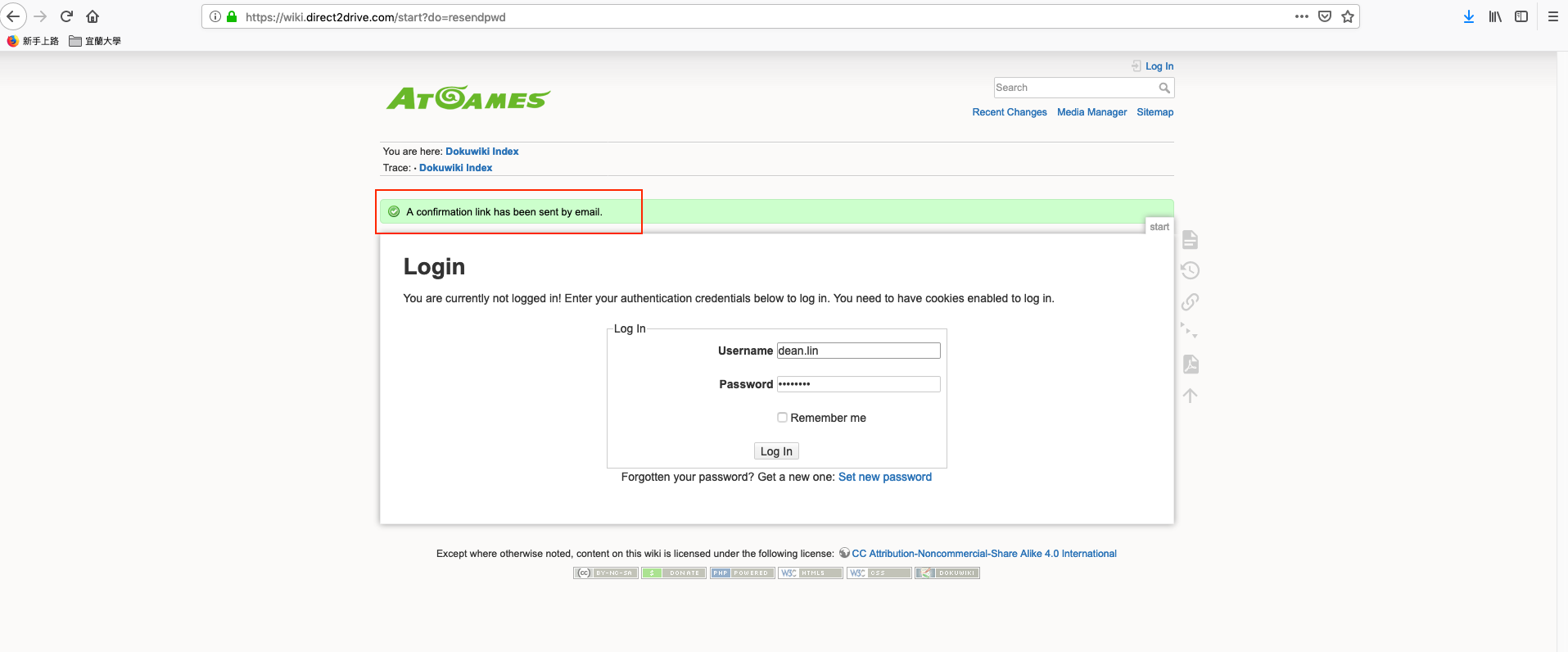
Fill in your username and click on “Set new password” button.
You will see the message “
A confirmation link has been sent by email”
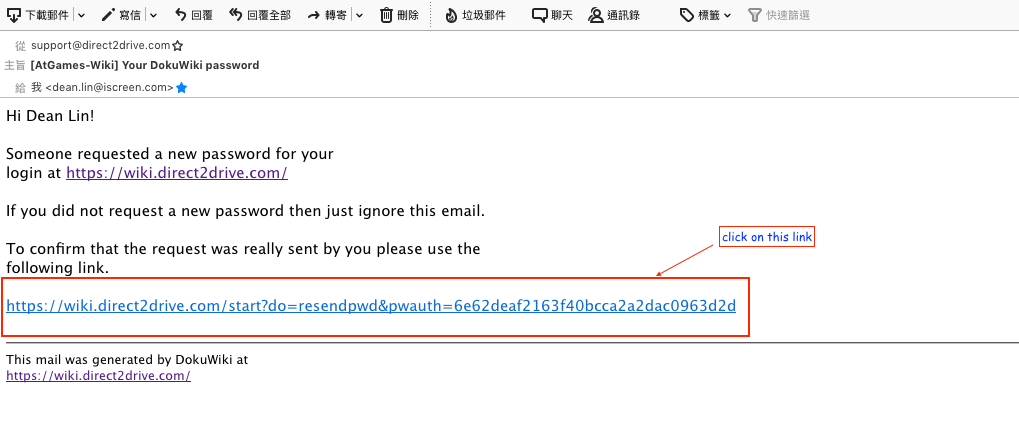
Check your inbox, you should receive a mail that subject is “
[AtGames-Wiki] Your DokuWiki password”, click on confirmation link.
After click on confirmation link, you should see the message “
Your new password has been sent by email”.
The new password has sent to you, please check inbox again 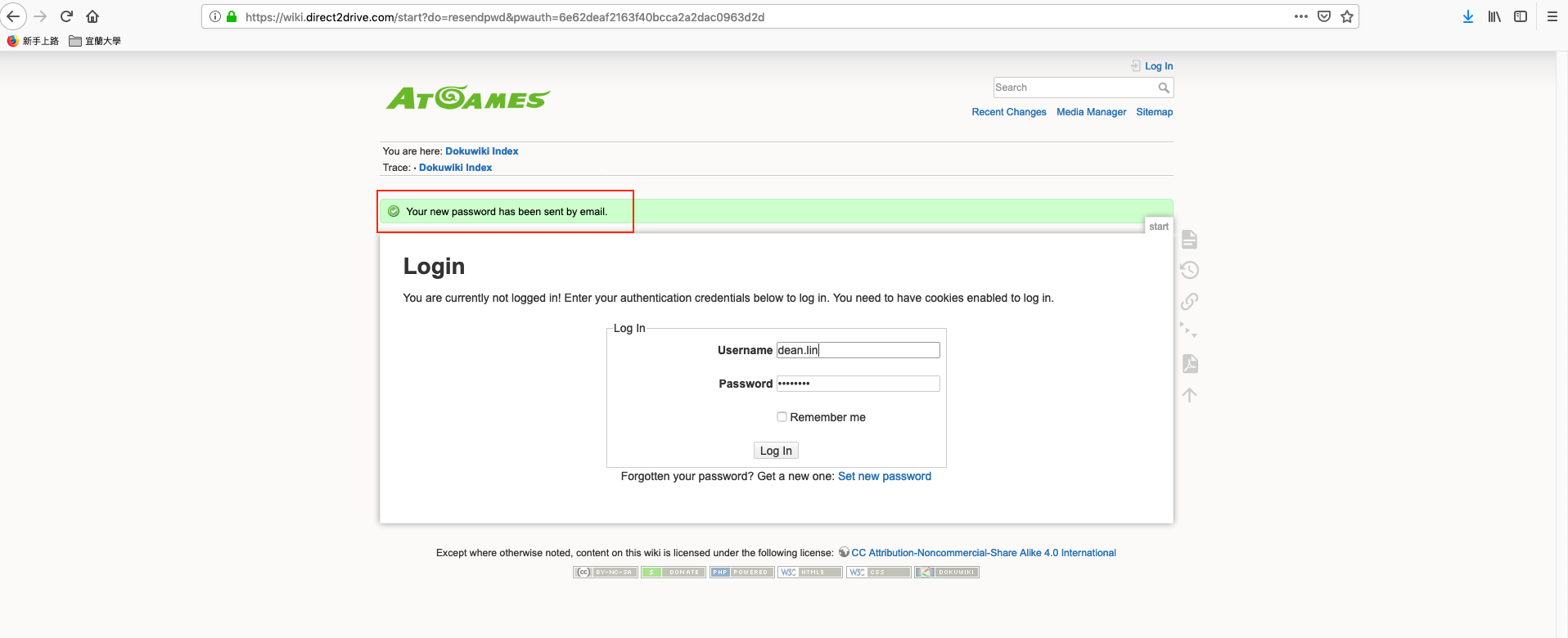
Check your inbox again, the new password mail subject is “
[AtGames-Wiki] Your DokuWiki Password”.
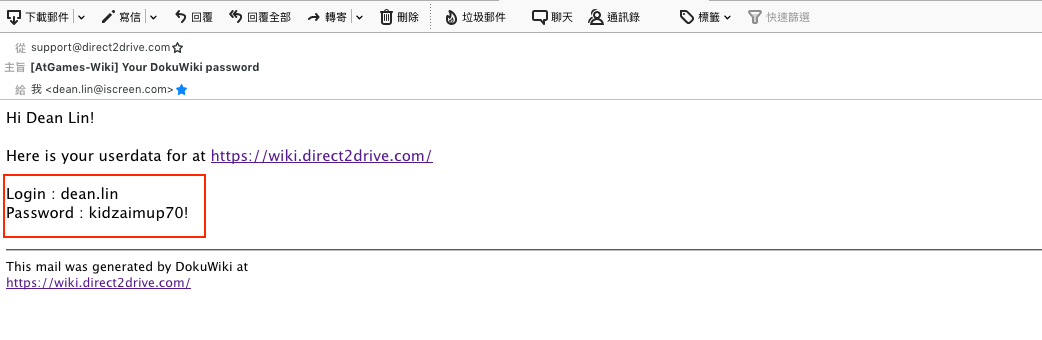
Use your new password to login
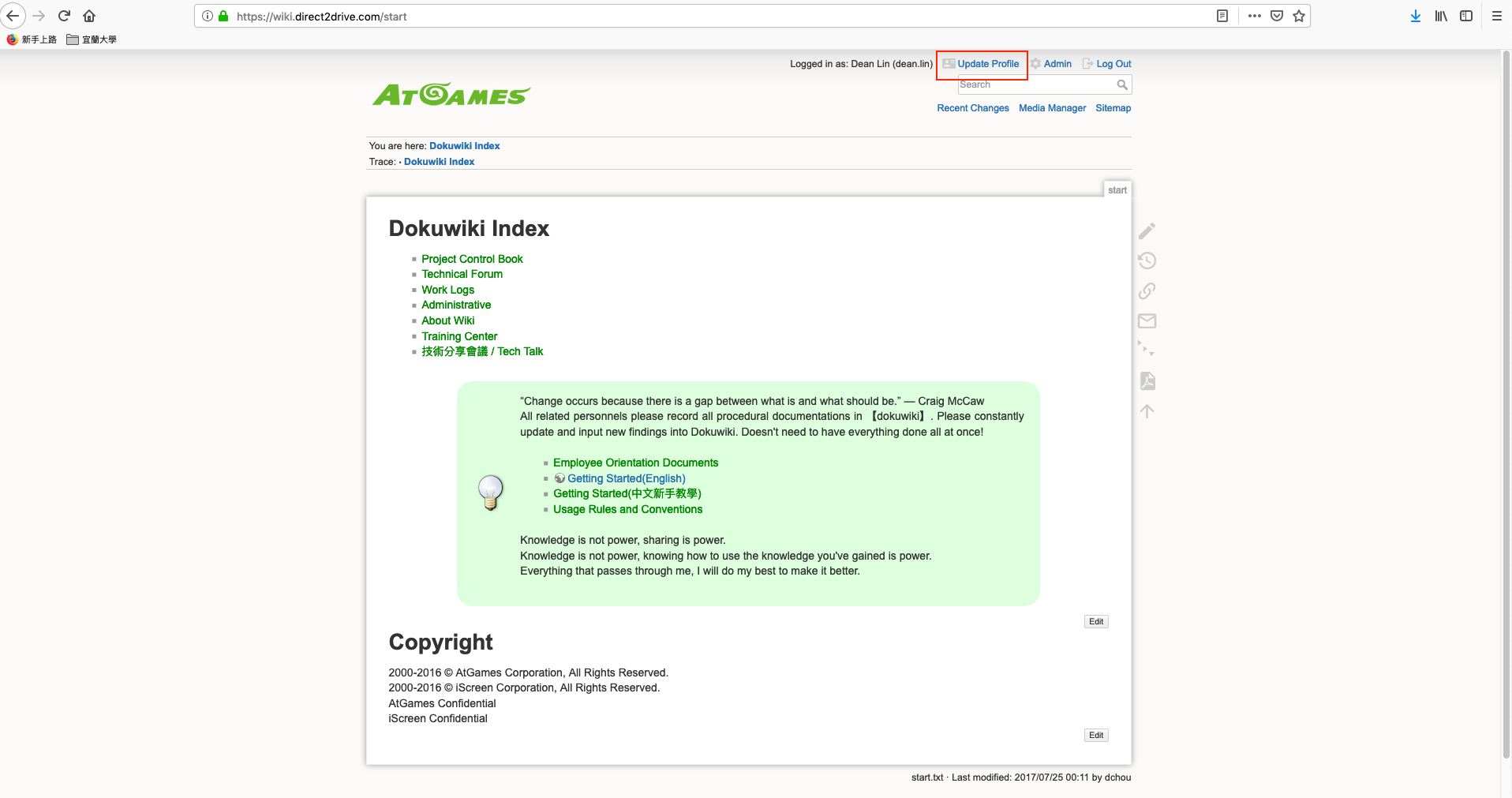
Wiki site and click on “
Update Profile” in right top.
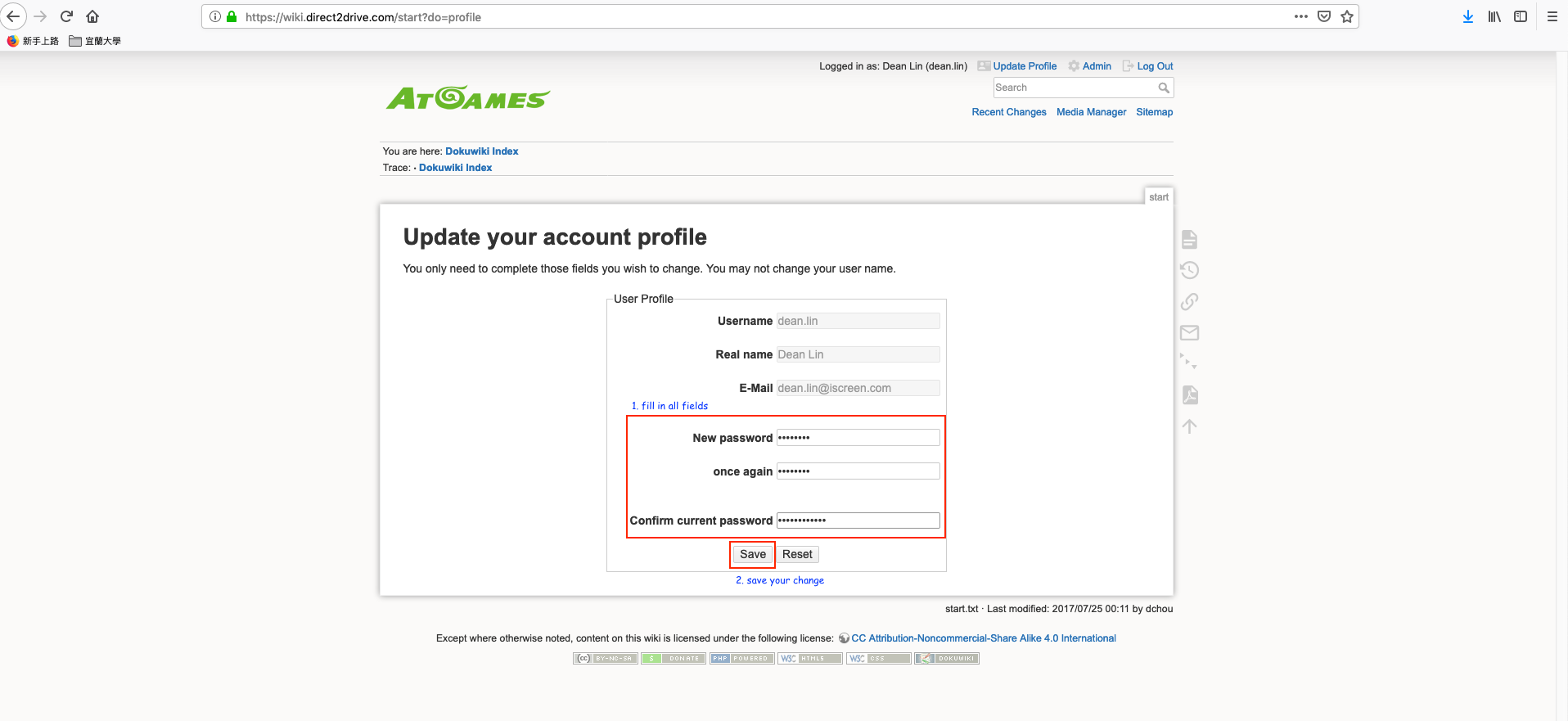
Fill in all required fields to change your password and clock on “
Save” button.
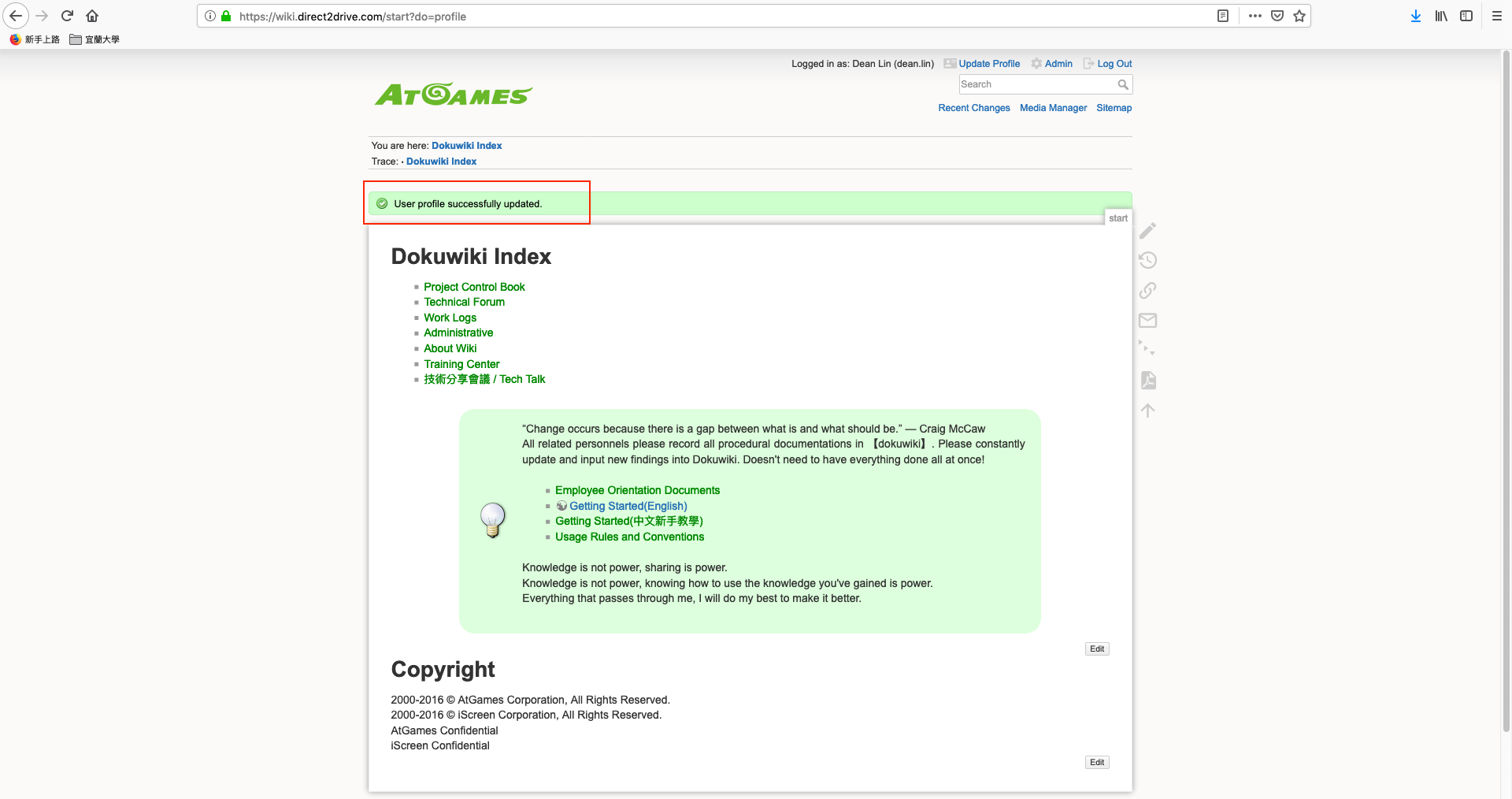
Done. you should see the message box “
User profile successfully updated”, it's mean your password has been reseted.
如何重設 Wiki 與 Gitlab 的密碼
詳細內容
-
點擊 “
Set new password” 連結
填你的帳號(Username) 後,按 “Set new password” 按鈕送出。
你會看到訊息為 “
A confirmation link has been sent by email” 表示送出更改密碼請求確認信。
檢查你的信箱,你應該看到一封主旨為 “
[AtGames-Wiki] Your DokuWiki password“,請點選信中確認的連結.
點了連結之後會導回 Wiki 網站,你會看到 ”
Your new password has been sent by email”.
這表示系統已將重設的密碼送出,請再去信箱收信 檢查你的信箱,密碼重設的郵件主旨為:“
[AtGames-Wiki] Your DokuWiki Password”.
-
訪問
Wiki 並且使用新密碼登入,點擊在右上角 “
Update Profile“
填入必要的欄位後按 “
Save” 按鈕。
完成,成功儲存後你會看到 ”
User profile successfully updated“的訊息,表示密碼已重設。
shared/reset_password_for_wiki_and_gitlab.1563875201.txt.gz · Last modified: 2019/07/23 09:46 by dean.lin


