
shared:reset_password_for_wiki_and_gitlab
This is an old revision of the document!
How to Reset Password for Wiki and Gitlab
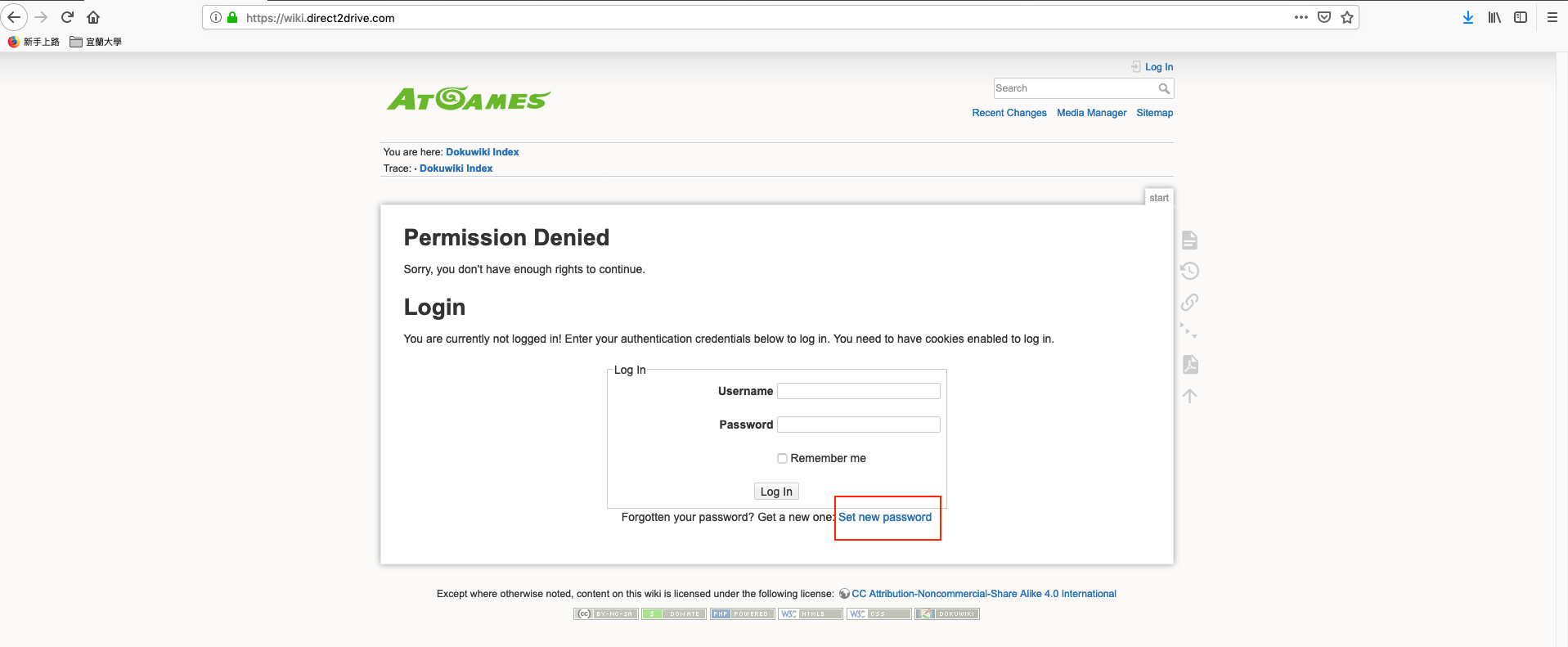
- Visit on Wiki site - https://wiki.direct2drive.com
- Click on “Set new password”
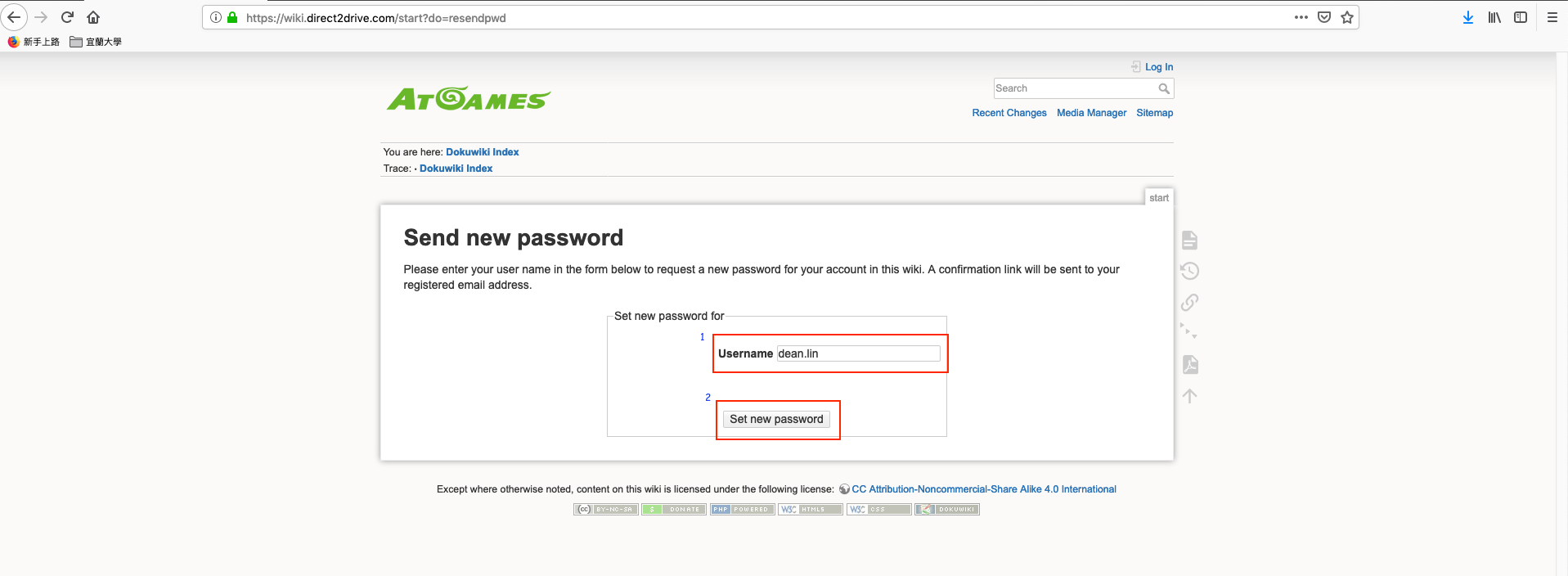
- Fill in your id and click on “Set new password” button.
- Note: the id should be your email address string before '@atgames.net'
- For example: if your email address is 'david.chou@atgames.net', then your id should be 'david.chou'
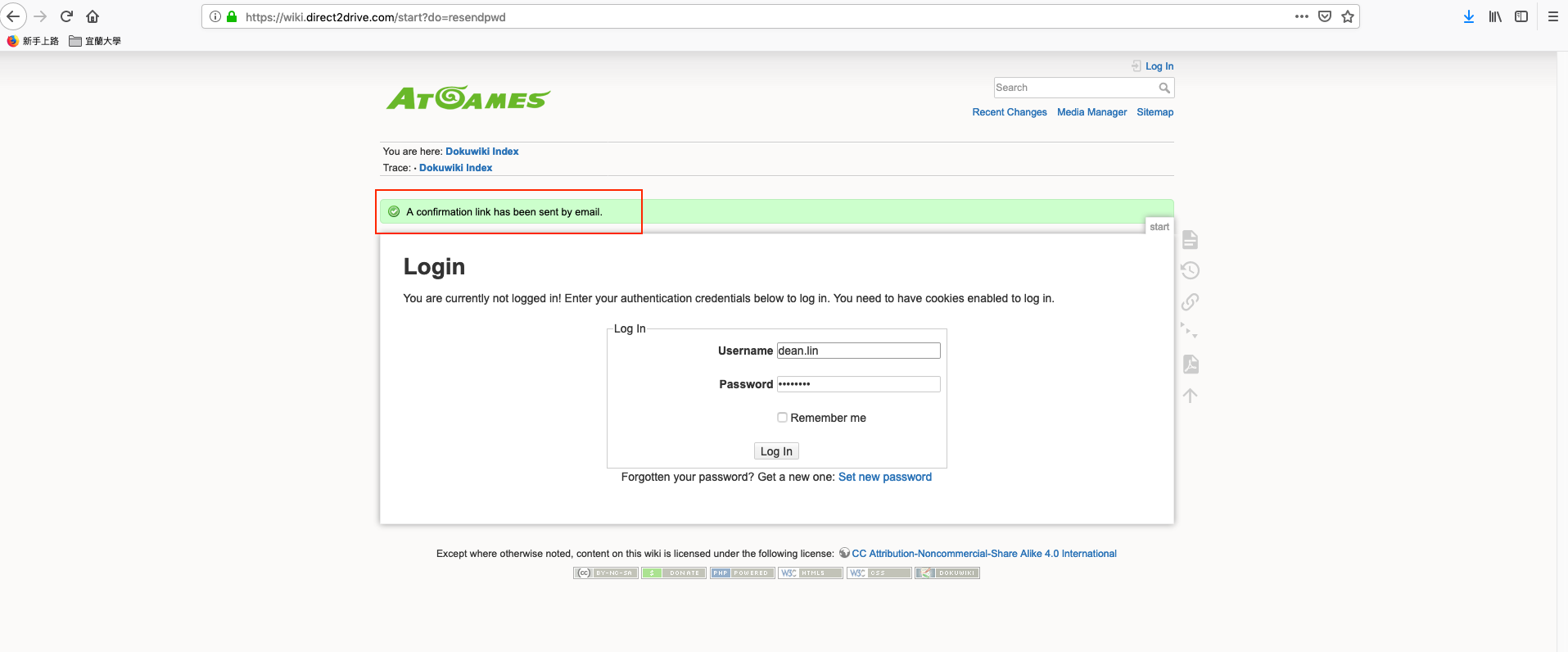
- You will see the message “A confirmation link has been sent by email”
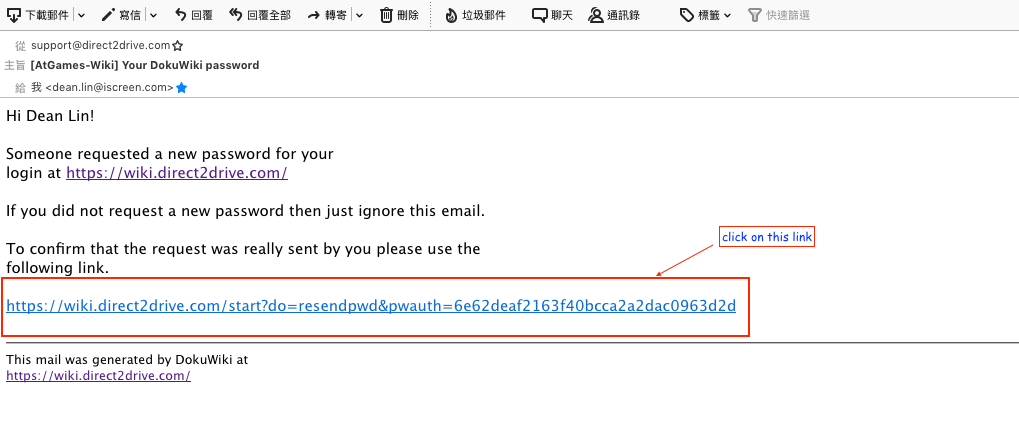
- Check your inbox, you should receive a mail that subject is “[AtGames-Wiki] Your DokuWiki password”, click on confirmation link.
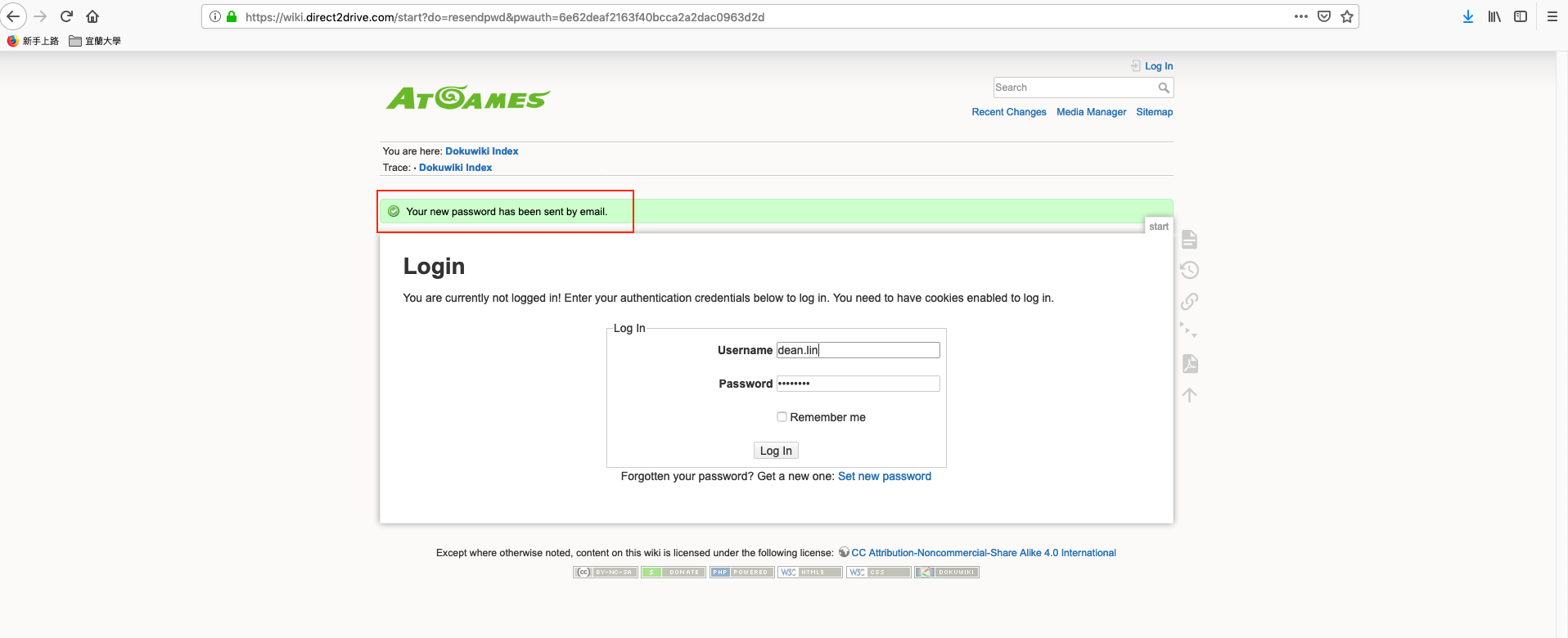
- After click on confirmation link, you should see the message “Your new password has been sent by email”. The new password has sent to you, please check inbox again
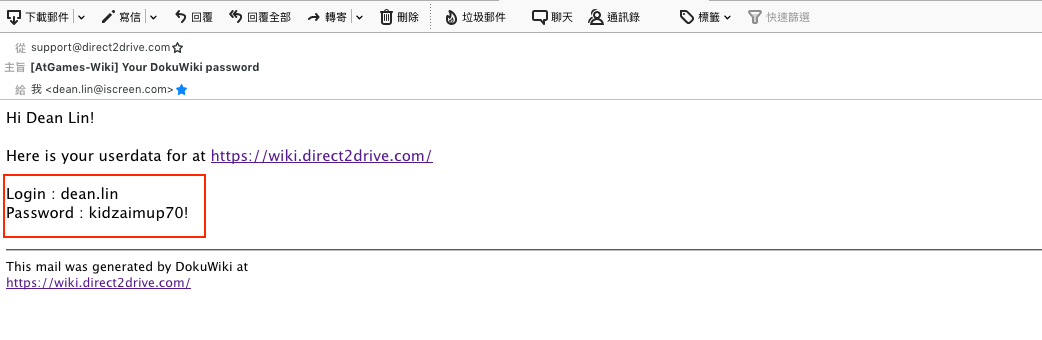
- Check your inbox again, the new password mail subject is “[AtGames-Wiki] Your DokuWiki Password”.
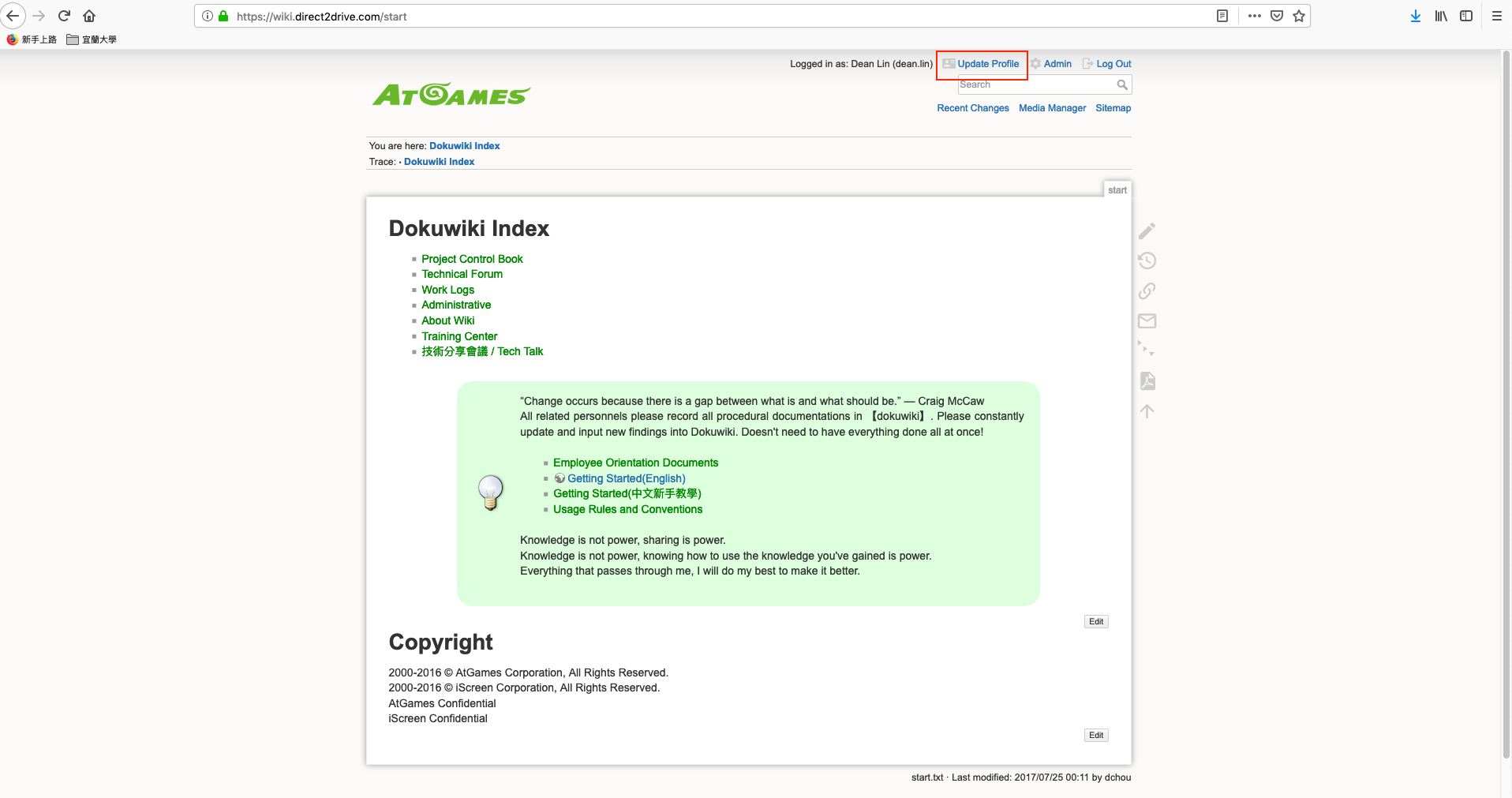
- Use your new password to login Wiki site and click on “Update Profile” in right top.
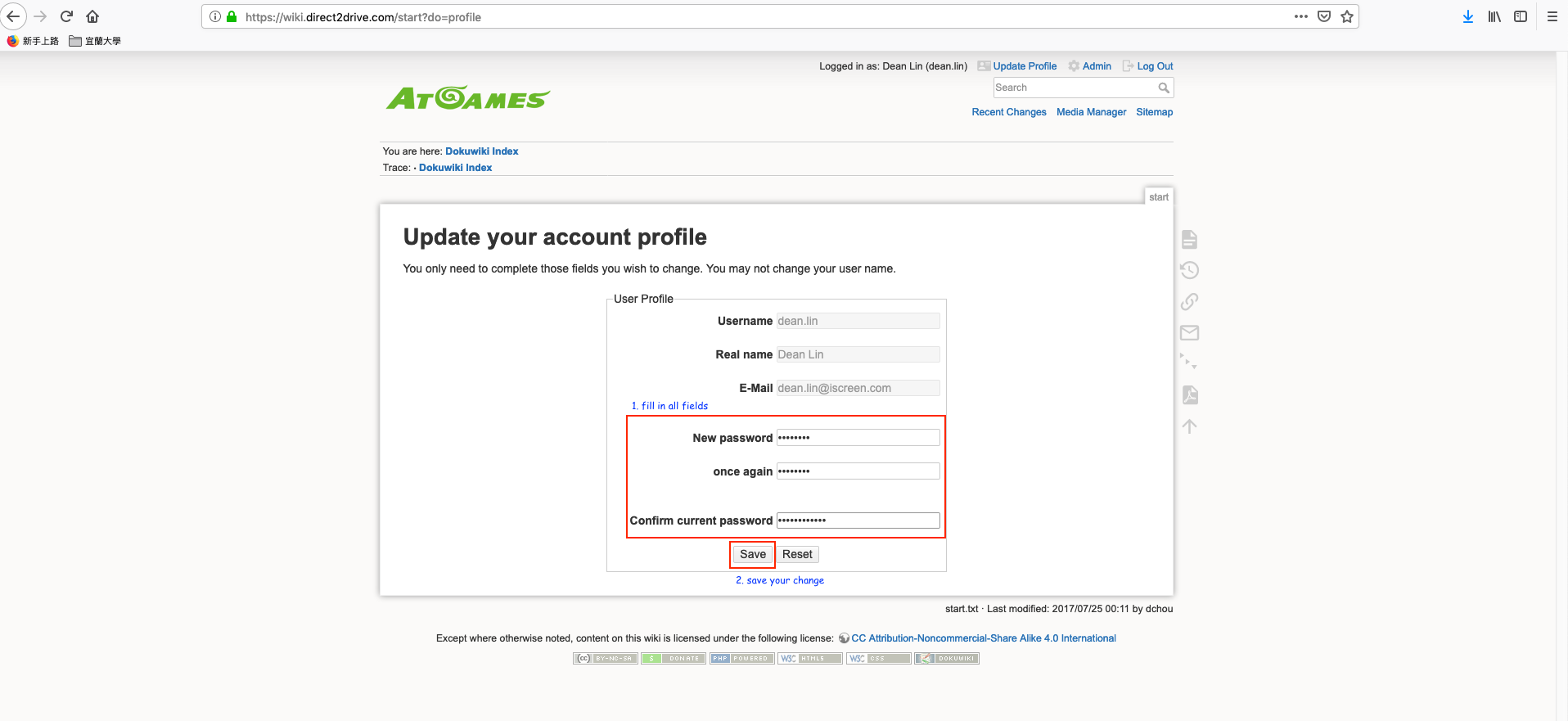
- Fill in all required fields to change your password and clock on “Save” button.
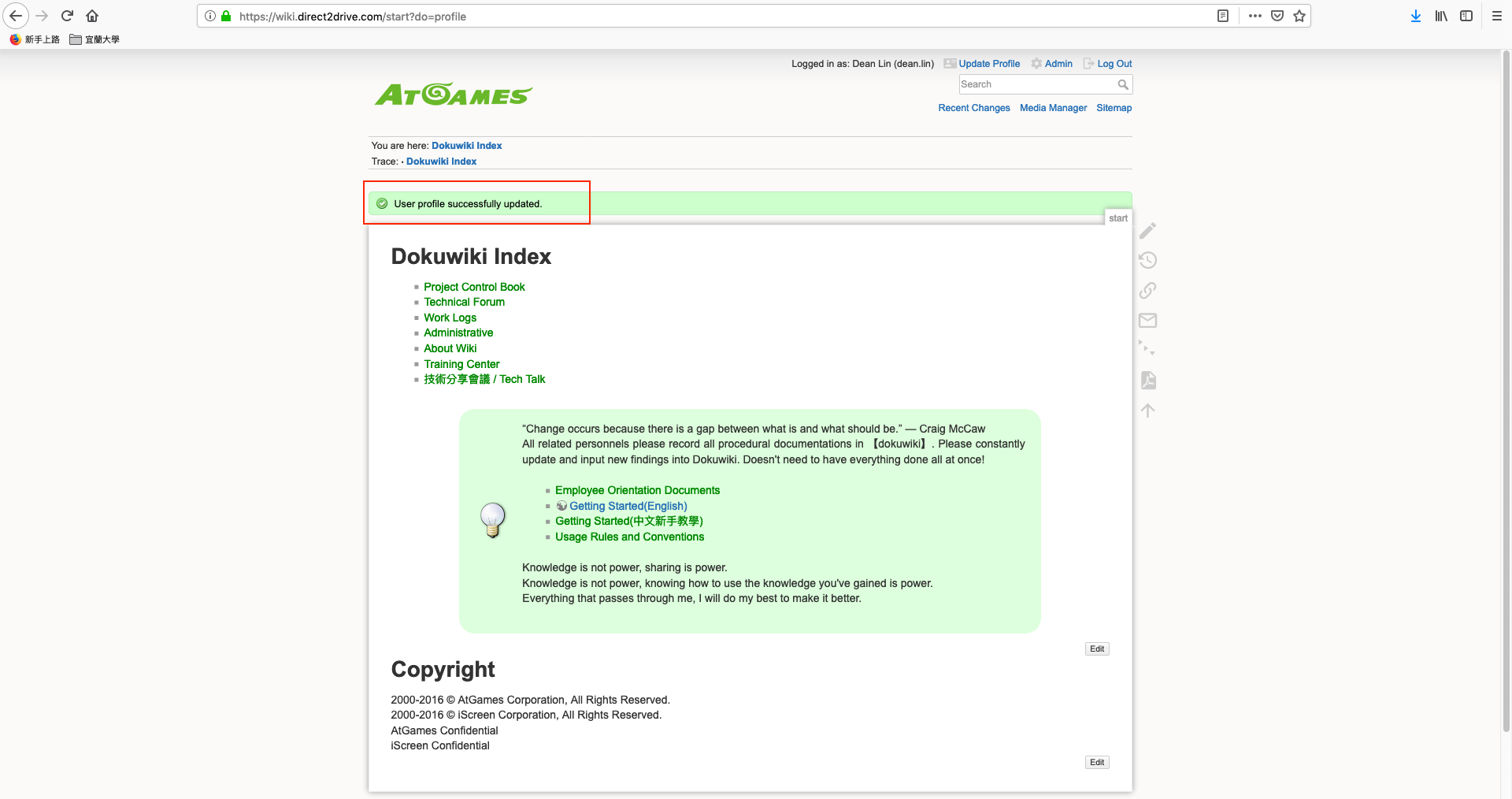
- Done. you should see the message box “User profile successfully updated”, it's mean your password has been reseted.


shared/reset_password_for_wiki_and_gitlab.1563874012.txt.gz · Last modified: 2019/07/23 09:26 by dean.lin
Except where otherwise noted, content on this wiki is licensed under the following license: CC Attribution-Noncommercial-Share Alike 4.0 International


